


5 Synchronous Learning Tools for Live Member Engagement

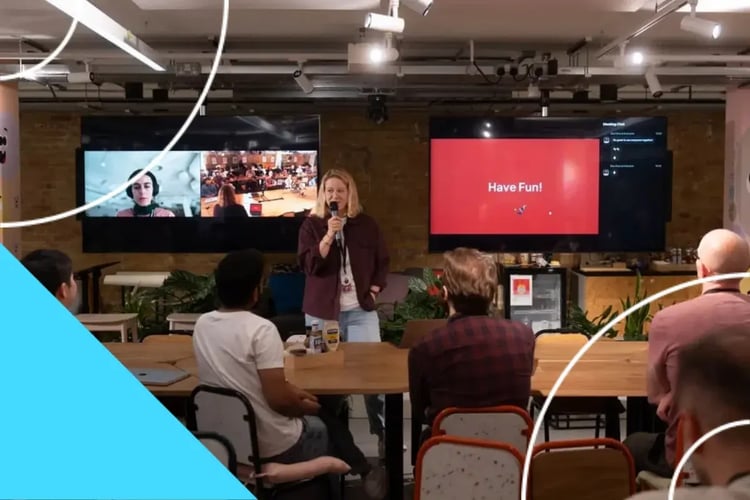
Conference energy has a short shelf life. Your members buzz with excitement and trade ideas face-to-face, then everyone goes home, and the momentum fades within days.
But you don’t have to worry because you can rebuild live connection with synchronous learning tools, which can help you extend some of the live interaction and connection members feel at conferences into a quick Q&A session or a hands-on cohort call.
In this article, we'll talk more about synchronous learning and the tools that help you bring it to life.
TL;DR: 5 Best Synchronous Learning Tools
Short on time? Here's a quick look at the top 5 synchronous learning solutions for associations and professional networks.
1. Forj
2. Maple LMS
3. Path LMS
4. D2L Brightspace
5. Elevate LMS
What Is Synchronous Learning?
Synchronous learning is real-time instruction or interaction where all learners and participants attend a specific session at the same time. Think of a live webinar or a virtual roundtable, where members log in at the same time to ask questions and build on what others say.
Unlike asynchronous learning, which lets members work through material on their own schedule, synchronous formats depend on a shared clock.
Synchronous Learning Tools vs. Asynchronous Learning Platforms
Let’s compare the 2 learning models side by side to make the differences easy to spot:
| Factor | Synchronous | Asynchronous |
| Timing | Everyone attends at a set time | Members participate on their own schedule |
| Member effort required | High. Members need to ensure they show up at the scheduled time. | Low. Members fit it around client work and shifts. |
| Best use case | Q&A, case discussion, skills practice, cohort kickoffs | Foundational content, reference material, credential prep |
| Interaction quality |
Real-time, unscripted, back-and-forth Interaction starts to reduce as group size grows, unless breakout rooms are part of the format. |
Delayed, considered, mostly written |
| Scale ceiling | Broadcast formats can scale to much larger audiences with the right setup. | Effectively unlimited |
| Data you get back | Attendance, poll responses, chat, minutes watched | Completions, quiz scores, time on module, repeat views |
| Cost to produce | Costs vary, though the production effort for many synchronous formats is repeatable | Costs vary, though many asynchronous formats need less added effort per additional learner |
Most associations and professional networks lean on both formats as part of a broader membership engagement strategy, matching the format to members' needs or what the learning moment calls for.

Core Features to Look for in Synchronous Learning Tools
Live-session tools vary widely in how well they serve your association or professional network.
Here's what actually matters when you compare them:
- Live Interaction Options: Your members should have more than one way to participate during live sessions. The learning tool can have chat and live polling to let quieter members contribute without unmuting. It should also support hand-raising to cover those who'd rather ask out loud.
- Recording and Playback: What happens to the members or learners who couldn't join the live session? You'll want a tool that captures video, chat, and poll results together so you have one complete record to revisit later. Your learners can also access all the proceedings long after the live event ends.
- Breakout Capability: If a live event grows too large, real-time conversations get harder. You'll want to have regular breakout rooms where members can practice skills and swap experience in groups of 5 or 6.
- Ecosystem Integration: A live tool that stands alone can leave your community and LMS talking past each other, which means extra work for your team down the line. Look for one that connects attendance and engagement data directly to member profiles and continuing education records.
- Accessibility Features: Captions and adjustable audio are important for a diverse membership base, while screen-reader support widens who can fully take part in your live programming.
5 Best Synchronous Learning Tools by Use Case
Now that we’ve covered what to check for in any synchronous learning tool, here's a closer look at 5 solutions that make the features practical for your team and members:
1. Forj
Forj is a community and learning experience solution built for associations and professional networks that want to blend learning, community, and behavioral insights into one experience.
Your live sessions connect directly to credentialing and engagement insights. Your members can also engage in ongoing peer discussion long after the session ends.
Here’s what you get with Forj:
- Live Cohorts Tied to Credentialing: You can run a live cohort inside Forj Learn, where CE credits are tracked automatically after course completion, and course activity and credit data are sent back to your AMS.
- Guided Post-Session Discussion: After your live session ends, Forj Connect routes members into a related peer discussion, tapping into the broader social learning strategies that keep your members or learners engaged past live sessions.
- Behavioral Insight Into Live Engagement: Forj Analyze shows you which live sessions and topics spark the most activity afterward, helping you make learning more personalized for your members going forward.
- One Branded Home for Live and Ongoing Learning: Through Journey by Forj, your members join live sessions and course content in one place, without a separate login for a conferencing tool.
Connect with Forj to walk through how live learning sessions and community come together.
2. Maple LMS
Maple LMS is a Salesforce-native learning system built for membership organizations already running their operations on Salesforce.
Your members get course-specific live chat rooms and social groups, where they can talk in real-time alongside their coursework. Their course completion data ties directly into existing Salesforce membership records.
Maple LMS leans on chat-based interactions more than full video conferencing. Its analytics focus more on membership and course data than on live-session behavioral insights.
3. Path LMS
Path LMS is a video-centric learning system built for associations and professional networks that lean heavily on webinars and recorded video content.
Your live and recorded webinars become interactive through real-time Q&A and live polling, and members can comment on or rate a video course as it plays.
The platform's strength comes mainly from video interaction itself, but it offers less built-in support for tying live attendance to credentialing once a session ends.
4. D2L Brightspace
D2L Brightspace is an academic-style learning system that many associations and professional networks use for structured, credit-bearing continuing education programs.
The platform’s learning systems are built around a Virtual Classroom tool that lets you run live video sessions and share your screen or a whiteboard. You can also run live polls alongside them without leaving the course environment.
The system can auto-record sessions for members who miss the live event, with completion data flowing back into the course record.
D2L Brightspace fits academic-style, credential-heavy programs well, though its community features are quite limited outside the course.
5. Elevate LMS
Elevate LMS is a learning platform built for associations and professional networks that run virtual conferences and webinars, along with hybrid continuing education programs.
Your live webcasts and recordings live inside one hub and are built around conference-style programming, with event-driven content layered into the same hub.
Elevate LMS focuses on event-driven programming, built around individual conferences and webinars. However, continuous, always-on engagement between sessions may be limited.
How to Choose the Right Synchronous Learning Tools
Since different features are meant to solve different problems, you don't need every feature on the market.
Here's what to weigh before you commit to a tool:
- Match the Tool to the Types of Sessions You Host: A tool built for a 10-person cohort discussion won't serve you well if you’re running a 500-person webinar. A discussion-focused tool, in turn, won't scale to a large conference broadcast, so check which formats you use often before you choose.
- Test New Tools With a Small Cohort First: Pilot a few new tools on your shortlist with a small group of learners before you roll out any tool to the rest of the organization. A small pilot can help you identify setup issues and facilitator gaps, so you know which tool is best-suited for your organization and what to adjust before you commit.
- Design a Clear Facilitator Plan: Decide who runs each session and who tracks chat and questions before you choose a tool to ensure it can align with your governance structure.
- Budget for the Change Your Team and Learners Will Feel: A new tool changes the learning experience for your members, as well as how your staff prepares and runs sessions. Set aside time and financial resources for training your staff and members on how to use the new tool. Also, check how much support the vendor provides during and after the rollout.

Frequently Asked Questions (FAQs)
Let’s wrap up with answers to common questions about synchronous learning tools for associations and professional networks:
Can Synchronous Learning Tools Support Continuing Education?
Yes. Synchronous learning tools support continuing education when attendance and participation connect directly to your credentialing system.
Different accrediting bodies set their own credit-hour and documentation requirements. The right synchronous learning tool matches its CE tracking format to what your credentialing bodies require.
Do Synchronous Learning Tools Integrate with LMS Platforms?
Integration capabilities vary by the tool and LMS.
Synchronous learning tools integrate with LMS platforms when both systems share data on attendance and credit automatically. Some association and professional network LMS platforms have native live features. Others connect to an outside conferencing tool, but the data you need may not be in one place.
What Are the Main Limitations of Synchronous Learning?
Synchronous learning mainly struggles with scheduling and scale. Members across different time zones struggle to attend live. The quality of interactions may drop if a group grows large and the session doesn’t have breakout rooms.
If the tool allows, you can record live sessions so members who miss them can access the same content as those who attended.
Who Should Facilitate a Live Synchronous Session?
A live synchronous learning event works best with a facilitator who knows the content and the group well.
You can pair a subject-matter expert with an internal moderator who handles the chat and questions in real time. Combining these roles ensures learning and conversation happen simultaneously, without leaving learners waiting too long for answers.
Conclusion
The right synchronous learning tool depends on what your association or professional network actually needs. Some teams need credentialing tied to attendance. Others need video-first delivery or a built-in virtual classroom.
You might need all your learning programs to connect with community and insights without the need to log into separate tools.
At Forj, we connect your live sessions to everything that happens after, from credentialing to the conversations your members keep having. Forj Analyze then shows you which topics members want more of, so you can turn that connected learning into new courses and new non-dues revenue.
Schedule a demo with Forj to talk about bringing live learning and community together for your members.